your inbox.
smiseacow
<SMISEACOW>Kwumsy Z3 15.3" Quad-Screen Laptop Screen Extender
<SMISEACOW>Kwumsy Z3 15.3" Quad-Screen Laptop Screen Extender
Regular price
$499.99
Regular price
Sale price
$499.99
Unit price
per
Couldn't load pickup availability
Ultimate Quad Workstation
One laptop. Four displays. Zero limits.
| Display Specs | Details |
|---|---|
| Resolution | 1920 × 1200 |
| Aspect Ratio | 16:10 |
| Panel Type | IPS |
| Driver | Required for first-time use |
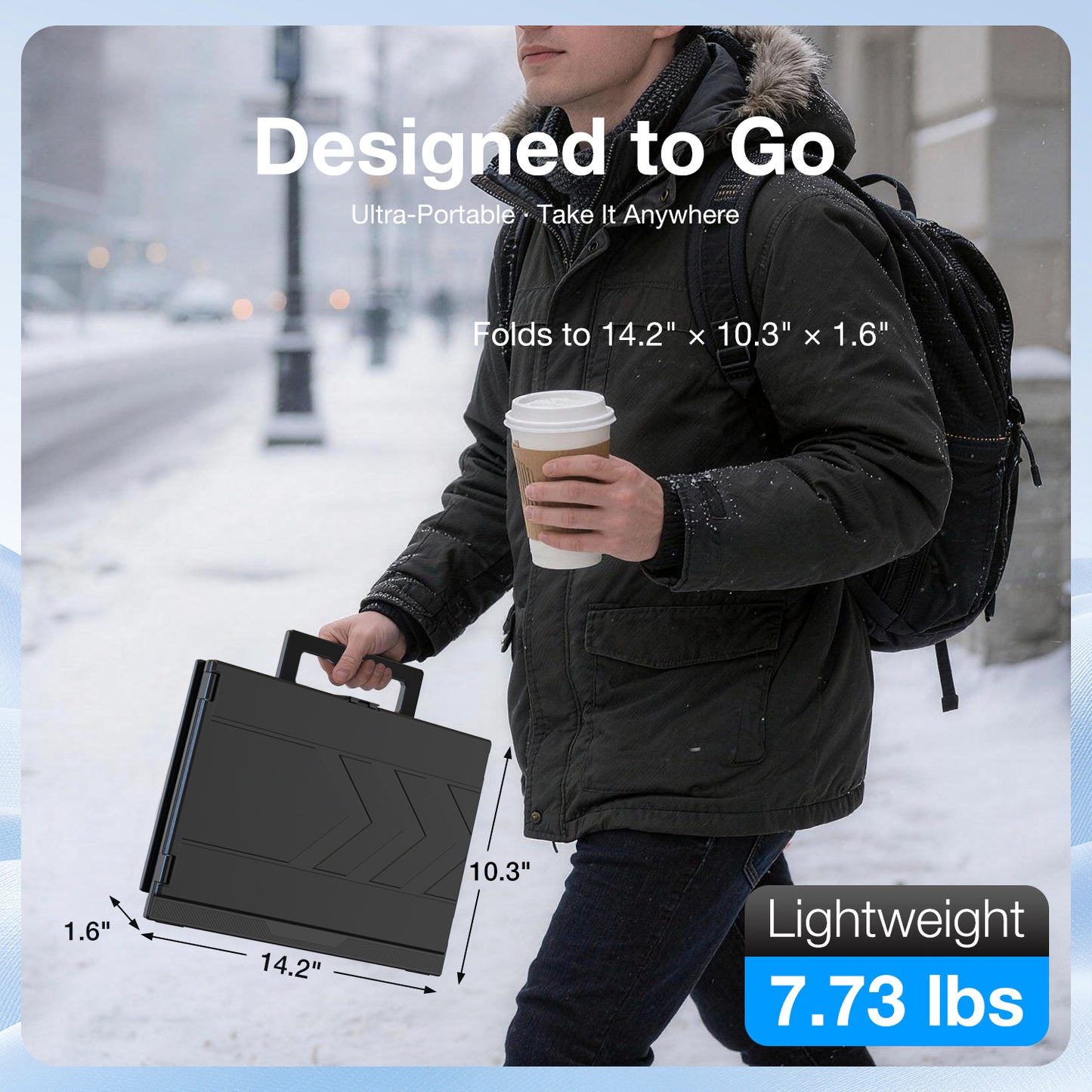
| Portability | Designed for travel |

Universal Compatibility
⚠️ Tips: Driver Required for All Devices
Compatible with:
| Device Type | Support |
|---|---|
| 💻 Laptops | Mac & Windows |
| 🖥️ Mini PC | ✅ Fully compatible |
| 🖥️ Desktop Workstation | ✅ Fully compatible |

15.3" – More Vertical Space
See more lines. Scroll less. Work faster.
| Display Specs | Details |
|---|---|
| Screen Size | 15.3" |
| Resolution | 1920 × 1200 (WUXGA) |
| Aspect Ratio | 16:10 |
| Refresh Rate | 60Hz |
| Brightness | 300 Nits |
| Panel Type | IPS |
| Vertical Pixels | +120 vs standard 16:9 (1200p vs 1080p) |
Why 16:10?
- 📄 See more lines of code, documents, or spreadsheets
- 📊 More vertical space means less scrolling
- 🎨 Better aspect ratio for creative

360° Rotation – Swivel Any Direction
The left and right screens support 360° rotation, allowing you to adjust them to any angle you like. Whether you're sharing your screen with colleagues or viewing from different positions, you'll always find the perfect viewing angle.

Interface Description
| Port / Button | Function |
|---|---|
| Built-in Speakers | 2.5W × 1 |
| Charging Interface | PD Power Input |
| Mini HDMI | Video Input |
| Type-C | Full-featured – Video + Data |
| Key / Power Button | Middle Screen ON/OFF |
One-Key Switch: 3-Screen → 2-Screen
- 🔘 One-key to turn off the middle screen – instantly becomes dual-screen mode
- ⚡ Save 30% Power – Extend mobile work time
- 🎯 Perfect for: focused writing, low-battery environments, night work

Connection – Full-Featured Type-C
| Component | Description |
|---|---|
| Z3 Screen | ← Type-C Cable → Laptop |
| Power | 65W Power Supply (wall outlet required) |
| Requirement | Full-featured Type-C port with DP Alt Mode / Video Output |
| Compatibility | Thunderbolt 3.0 / 4.0 |
| Included | 65W adapter + Type-C cable |
⚠️ Note: Requires wall outlet power. Type-C port must support video output (DisplayPort Alt Mode).

Connection – USB-A + HDMI
| Component | Description |
|---|---|
| Z3 Screen | ← USB-A + HDMI → Laptop |
| Power | 65W Power Supply (wall outlet required) |
| Suitability | Older laptops without Type-C port |
| Included | 65W adapter + USB-A cable + HDMI to Mini HDMI cable |
⚠️ Note: Requires wall outlet power. Ideal for older laptops that lack a full-featured Type-C port.

Installation Steps – 5 Simple Steps
| Step | Action |
|---|---|
| Step 1 | Release the storage clasp |
| Step 2 | Separate the screen from the base |
| Step 3 | Open the base |
| Step 4 | Pull out the support rod & adjust angle |
| Step 5 | Flip out left & right screens & adjust |
💡 Pro Tip: Watch the video guide on the included USB flash drive for a quick setup walkthrough.

Important – System Compatibility
| OS | Support |
|---|---|
| 🪟 Windows | ✅ Supported |
| 🍎 macOS | ✅ Supported |
| 🐧 Linux | ❌ Not Supported |
| 🤖 Android | ❌ Not Supported |
| 💻 Chrome OS | ❌ Not Supported |
⚠️ Z3 requires driver installation to function properly. The driver only supports Windows and macOS.
💼 If you are using a company-managed laptop, please check with your IT department before purchasing to confirm driver installation is allowed.

What's in the Box?
| Accessory | Qty |
|---|---|
| Z3 Quad Screen Extender | × 1 |
| USB Flash Drive (Driver + Video Guide) | × 1 |
| Type-C to Type-C Cable | × 1 |
| USB-A to USB-C Cable | × 1 |
| HDMI to MINI HDMI Cable | × 1 |
| 65W Power Adapter | × 1 |
| User Manual | × 1 |

Technical Specifications
| Item | Specification |
|---|---|
| Screen Size | 15.3" × 1 (Quad Display Setup) |
| Resolution | 1920 × 1200 (WUXGA) |
| Aspect Ratio | 16:10 |
| Refresh Rate | 60Hz |
| Brightness | 300 Nits |
| Panel Type | IPS |
| Vertical Pixels | 1200 (120 more than standard 1080p) |
| Screen Rotation | 360° |
| Compatible OS | Windows / macOS |
| Compatible Devices | Laptops / Mini PC / Desktop Workstation |
| Power Requirement | 65W Adapter (wall outlet required) |
| Speaker | Built-in 2.5W × 1 |
| Ports | Full-featured Type-C, Mini HDMI, PD Charging |
| Product Weight | 7.73 lbs (≈3.5kg) |
| Key Feature | One-Key 3→2 Screen Switch (Save 30% Power) |
Ready to Build Your Quad Workstation?
Order Z3 Today – One Laptop, Four Displays, Zero Limits.